
Softminal
Products/Cart Reward Progress Bar

Cart Reward Progress Bar for WooCommerce, SureCart & FluentCart

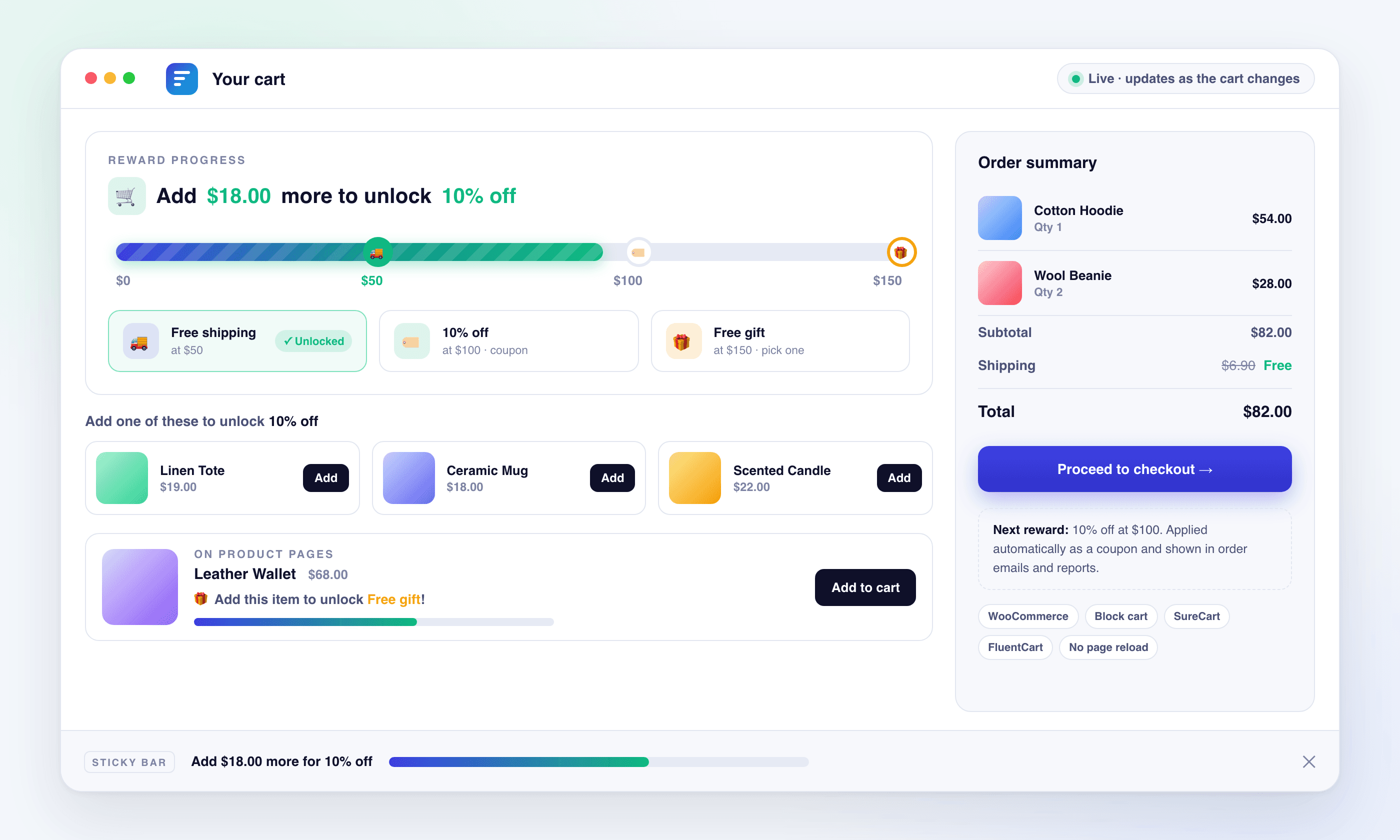
Show a live progress bar with stacked reward milestones free shipping, discounts, free gifts plus one-click product suggestions that close the gap. Works on the cart, checkout, product pages, and as a sticky site-wide bar. No page reload, no custom tables, 100% free.

What's new: changelog
5.0 on WordPress.org
Cart Reward Progress Bar preview
Works withWooCommerce logoSureCartFluentCartGutenberg logoElementorDiviBricks+ more
FEATURES

Everything You Need for Image SEO

Multi-tier rewards

Stack several milestones on one bar (free shipping at $50, 10% off at $100, a free gift at $150) with markers that light up as each tier unlocks.

3 reward types

Free shipping (auto-zeroed), a percentage or fixed-amount discount applied as a managed coupon or fee, or a free gift, with a chooser when a tier offers several gifts.

Product suggestions

Under the bar, show products priced around the remaining amount with a one-click Add button. Pick them automatically, by category, or by hand.

Sticky bar & product pages

Pin a compact bar to the top or bottom of every page, and show shoppers on a product page when that item unlocks the next reward.

Live, real-time updates

Updates instantly on classic and block carts via a dedicated REST endpoint and the Store API, with no page reload.

Smart cart rules

Decide what counts toward the goal: exclude sale items, limit to or exclude categories, blocklist products, or use display-only mode.

Show it anywhere

Cart, mini-cart, checkout, product pages, sticky bar, a Gutenberg block, and the [cbpb_bar] shortcode for Elementor, Divi & Bricks.

Deep customization

Colors, gradients, 3 bar styles, size, shadow, border, fonts, icons, celebration effects, dark mode, RTL, and per-state messages.

Works with 3 cart platforms

Auto-detects WooCommerce, SureCart, or FluentCart and uses the right adapter, or you can pick the platform manually.

100% Free

Free, Every Feature Included

Cart Reward Progress Bar is 100% free. Every feature is included, with no pro tier and no upsells.

WooCommerce, SureCart & FluentCart support
Multi-tier rewards: free shipping, discounts & free gifts
Percentage or fixed-amount discounts, coupon or fee based
Product suggestions with one-click add
Cart, mini-cart, checkout, product page & sticky bar
Reward Progress Bar block + [cbpb_bar] shortcode
Smart cart rules & display-only mode
3 bar styles, gradients, shadows & celebration effects
Dark mode (auto/custom), full RTL & scheduling
HPOS compatible, no custom tables, REST API & filters
FULL FEATURE SET

Everything You Get with Cart Reward Progress Bar

A comprehensive toolkit for WordPress image SEO, from AI generation to advanced analytics.

Rewards & Tiers

Multi-tier rewards: up to 10 milestones on one bar, each with its own threshold, label, and marker color
Free shipping reward that automatically zeroes shipping rates at the goal
Percentage or fixed-amount discount reward, auto-applied when the goal is reached
Discounts applied as a managed WooCommerce coupon (shows in order emails, refunds & reports) or as a negative fee
Free gift reward that adds a product at zero price and removes it if the goal is lost
Multi-gift tiers: list several gifts and let the shopper pick one in a small chooser
Reward stacking control to apply only the highest unlocked tier of each type, or stack them all
Optional sync of free-shipping thresholds with the shopper's WooCommerce shipping zone
Display-only mode shows the bar without changing the cart total

Smart Cart Rules

Exclude sale items from the goal calculation
Only count specific product categories, or exclude categories
Blocklist individual products
Minimum cart amount before the bar shows
Free gifts added by the plugin never count toward the goal
Category and product rules apply to WooCommerce stores

Product Suggestions

"Add one of these to unlock the next reward" list under the bar
Automatic price matching around the remaining amount, specific categories, or hand-picked products
One-click Add button, and products with options link to their page instead
Honors Smart Cart Rules and skips items already in the cart
Row or grid layout, shown on the cart page, product pages, or both (WooCommerce)

Platforms & Display Locations

WooCommerce: classic cart, block cart & block checkout, mini-cart, and HPOS compatible
SureCart and FluentCart: cart and checkout display with a single reward goal
Auto-detect the active platform, or select it manually
Product pages: a bar beside the add-to-cart form with an "Add this item to unlock {next_reward}!" variant
Sticky site-wide bar, top or bottom, with show-when rules, device targeting, dismiss with snooze, auto-hidden on cart & checkout
Reward Progress Bar block for the block editor with a live preview
`[cbpb_bar]` shortcode for any page, post, or widget area, and it works in Gutenberg, Elementor, Divi & Bricks

Appearance & Customization

3 bar styles: rounded, flat & striped
Gradient fills (horizontal / diagonal / vertical) with reached-state colors
Bar height, border radius, width, shadow & border controls
Container background, padding & spacing options
Font family, weight, size & alignment
Per-state colors (empty / in-progress / reached) and milestone marker colors
Celebration effects: pulse, glow, bounce & confetti
Smooth fill animation with adjustable speed
Live preview of every state while you edit

Messaging

Separate messages for empty, in-progress & goal-reached states
Dynamic placeholders: {remaining}, {percent}, {reward}, {next_reward}, {goal}, {total}, {unlocked_count}
Product-page variant with a {product_price} placeholder
Per-state display modes: bar + text, bar only, text only, or hidden
Per-state icons via emoji or uploaded image
Percentage shown inside the bar, above it, or after the message
Currency formatting: symbol position, decimals & thousand separator

Advanced, Accessibility & Developers

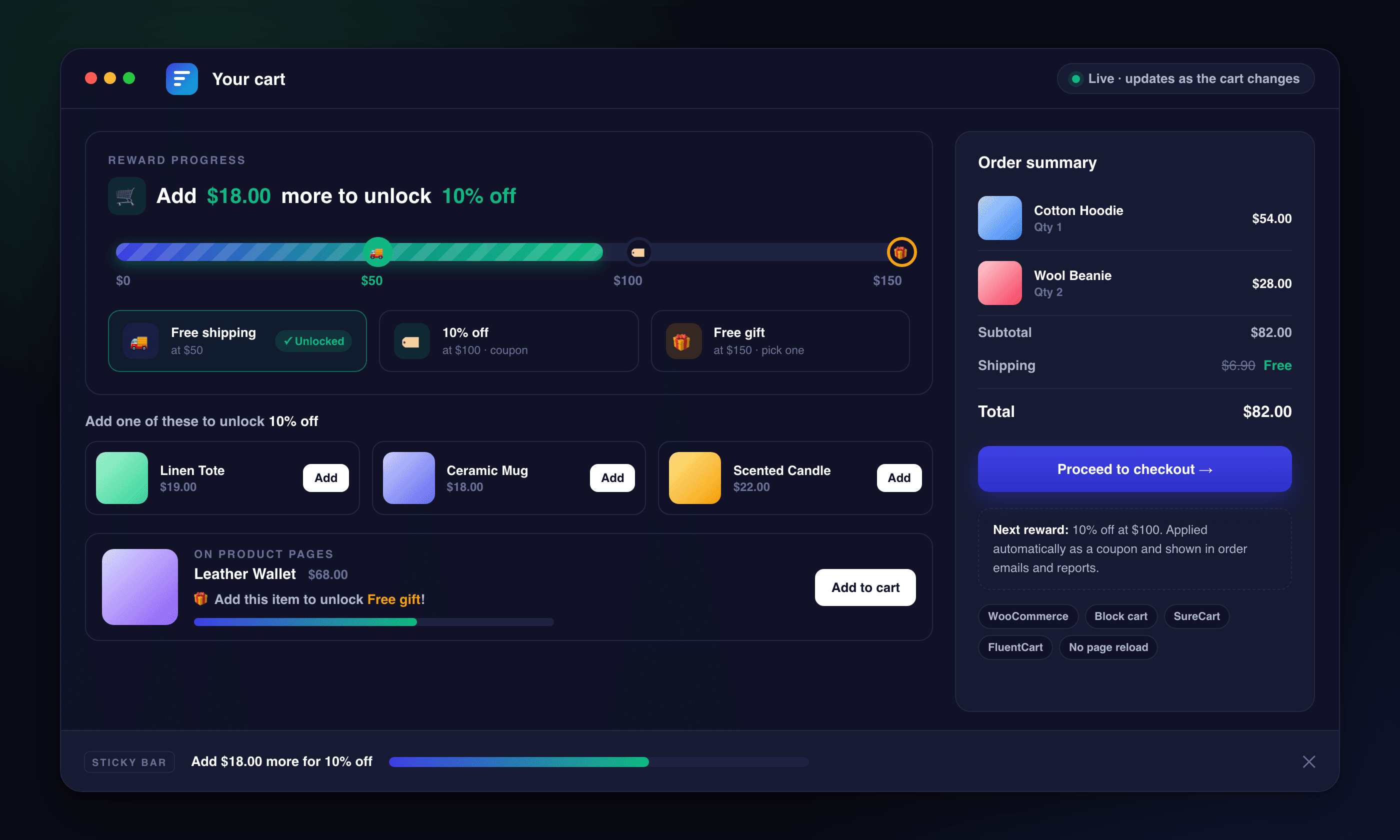
Dark mode that follows the system or uses custom dark colors
Full RTL support (auto-detect or manual)
Date-range scheduling for seasonal promos & flash sales
Accessible ARIA progress bar, and animations respect prefers-reduced-motion
Live updates via a dedicated REST endpoint and the WooCommerce Store API, with admin-ajax fallback
`cbpb:updated` browser event and `window.cbpb` JavaScript API
PHP filters: `cbpb_subtotal`, `cbpb_reward_tiers`, `cbpb_apply_rewards`, `cbpb_bar_state`, `cbpb_suggestions`, `cbpb_sticky_bar_render` and more
No custom database tables, no cookies or personal data, and a clean uninstall
Open development repository on GitHub
FAQ

Frequently Asked Questions

WooCommerce, SureCart, and FluentCart. It auto-detects the active platform and uses the right adapter, or you can choose manually. You only need one of the three active. Multi-tier rewards, smart cart rules, product suggestions, and coupon-based discounts are WooCommerce features; SureCart and FluentCart stores get the live bar with a single reward goal.
Yes. Add up to 10 reward tiers, for example free shipping at $50, 10% off at $100, and a free gift at $150. Each tier shows as a marker on the bar that lights up when unlocked. By default only the highest unlocked tier of each type applies, or you can stack them all.
Yes. It supports both the classic shortcode cart/checkout and the block-based cart, checkout, and mini-cart. The bar state travels inside the Store API cart response, so it updates in real time in both setups and after block-theme add-to-cart buttons.
Free shipping (shipping zeroed at the goal), a percentage or fixed-amount discount applied as a managed coupon or a negative fee, or a free gift. A tier can even list several gifts and let the shopper pick one. Rewards apply and revert automatically as the cart changes.
While the goal is not yet reached, the bar can show a short list of products priced around the remaining amount with a one-click Add button. Choose automatic price matching, specific categories, or hand-picked products. Available on WooCommerce stores.
On the cart, mini-cart, and checkout pages. On product pages beside the add-to-cart button. As a sticky bar pinned to the top or bottom of every page. With the Reward Progress Bar block, or anywhere else with the [cbpb_bar] shortcode, including Elementor, Divi, and Bricks.
Yes. Turn off "Apply rewards to cart" under Advanced → Reward Application. The bar, markers, and messages still update live, but no discount, free shipping, or gift is applied. That's useful when your store already runs its own discounts.
Yes, it's 100% free with every feature included. No pro tier, no feature gating, and no upsells.
Need More Help?

Still have a question?

If you couldn't find the answer above, visit our support portal for guides, troubleshooting help, and plugin support resources.

Ready to Lift Your Average Order Value?

Add a live, multi-tier reward progress bar to your store in minutes. It's free, and works on WooCommerce, SureCart, or FluentCart.